

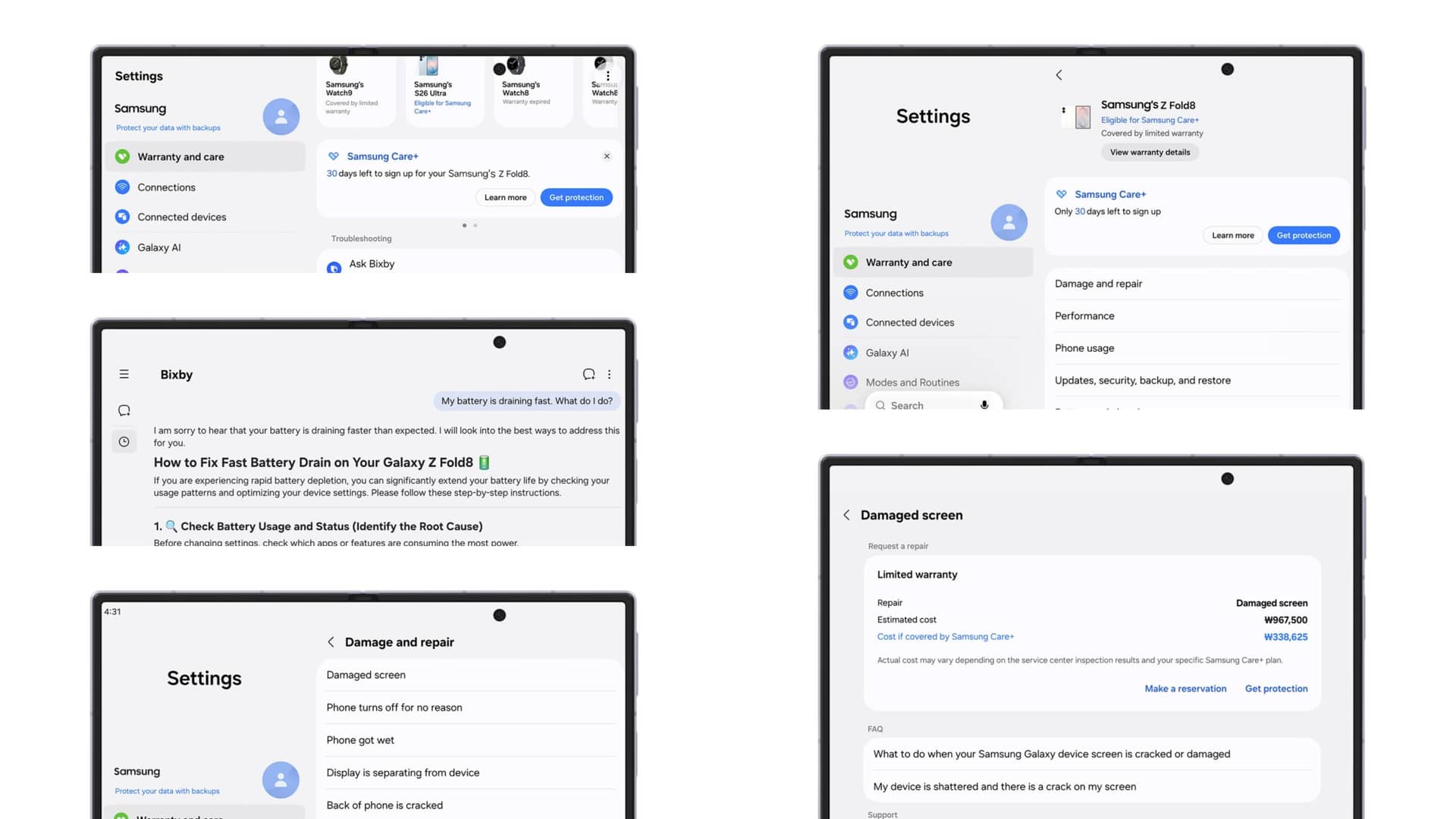
Samsung introduced its new Warranty and care menu with One UI 9 on August 18, 2026. The hub helps Galaxy Z Fold8 Ultra, Galaxy Z Fold8, and Galaxy Z Flip8 owners check coverage, run diagnostics, request repairs, and contact support. Samsung’s announcement also explains which features work across linked Galaxy devices and where regional limits apply.
What Happened and Why It Matters for Galaxy Foldable Owners
Samsung’s Warranty and care menu brings device support tools into the Settings app. Samsung says users can review warranty periods, check Samsung Care+ eligibility, run hardware tests, request repairs, and access support without leaving Settings.
The menu also shows warranty information for Galaxy phones, watches, earbuds, and tablets linked to the same Samsung account. That gives users one place to track coverage across a wider Galaxy setup.
Samsung’s official Warranty and care announcement targets the new Galaxy Z foldables running One UI 9. The feature matters more for foldables because screen repairs can cost hundreds of dollars outside warranty coverage.
SammyGuru recently reported that U.S. inner-screen repairs can cost up to $579 for the Galaxy Z Fold8 and $639 for the Galaxy Z Fold8 Ultra. The Galaxy Z Flip8 reportedly reaches $359 for an inner-display repair, based on coverage from NokiaMob and GizmoChina.
Samsung Expands Device Support Inside One UI 9
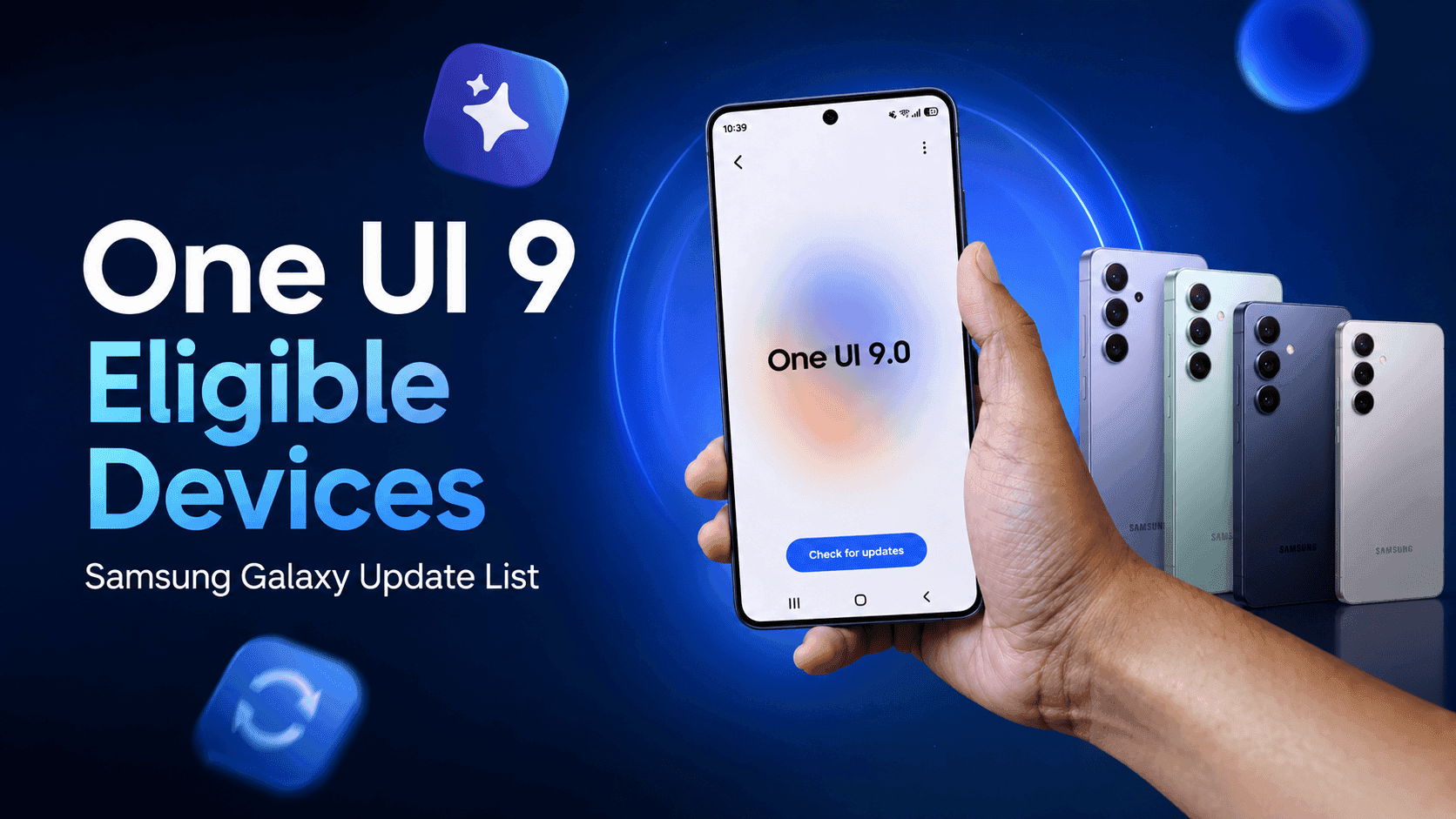
Samsung positioned the Warranty and care menu as part of One UI 9’s support experience. Samsung’s One UI 9 overview identifies the software as the platform for the new foldable features.
The menu displays the current device at the top. Users can then view warranty details and Samsung Care+ enrollment eligibility, according to Samsung.
Samsung Care+ terms, deductibles, promotions, and service options vary by country. Samsung also says users may need to register for promotional benefits.
This approach follows Samsung’s wider push to keep support inside its software. Galaxy owners already use Samsung Members for diagnostics and assistance. Warranty and care gives those tools a more direct home inside Settings.
Did you check your foldable’s coverage before an accident happened? Many owners only search for repair costs after the inner screen already fails.
Key Details Inside Samsung Warranty and Care
Samsung lists four main functions for the new menu.
- Warranty tracking: Users can check the active device’s warranty period and review coverage for other Galaxy products tied to their Samsung account.
- Device diagnostics: The tool checks battery health, charging, sensors, touch response, and connectivity. Samsung says the results can suggest a fix or guide users toward repair support.
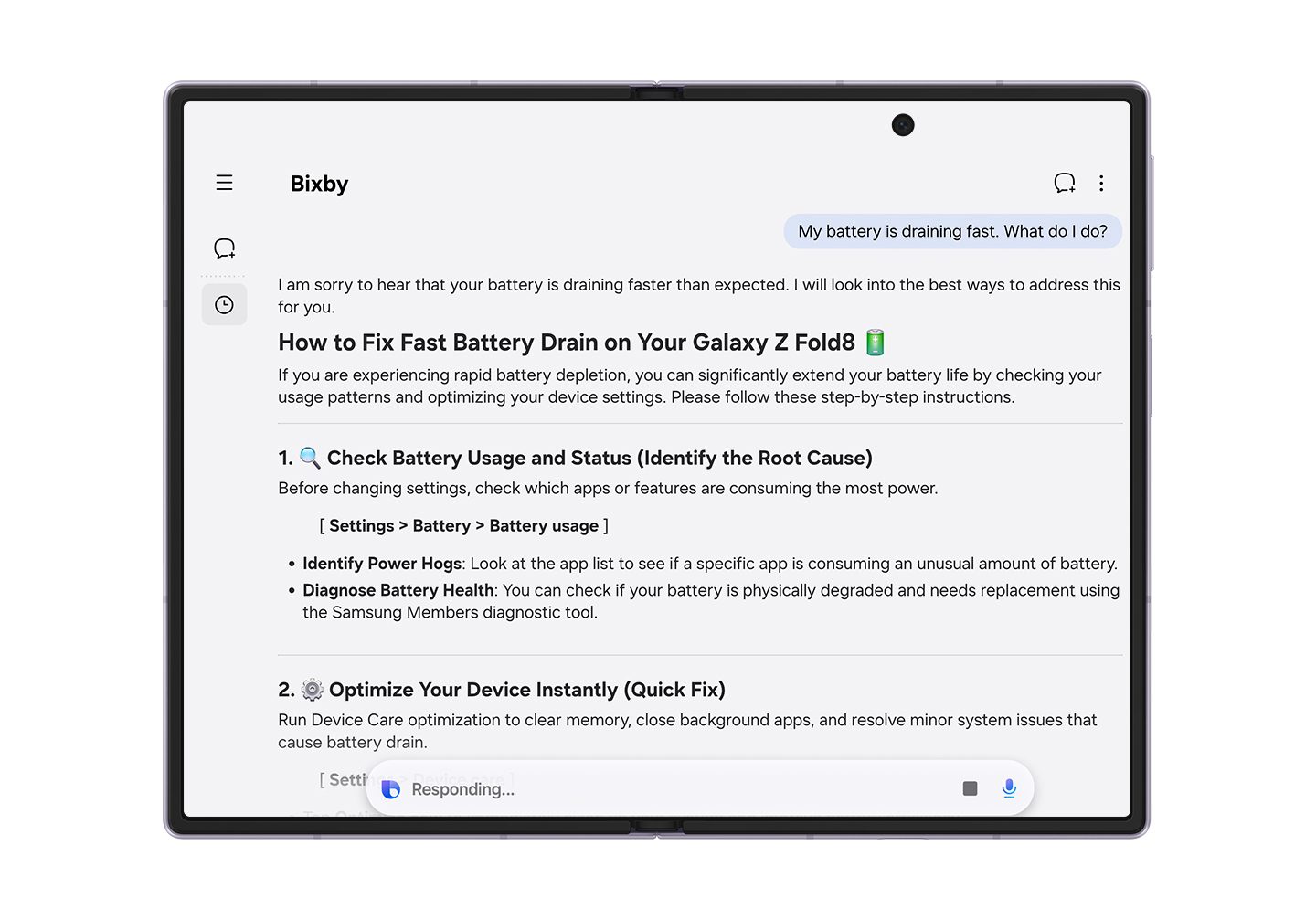
- Bixby assistance: Users can ask Bixby about problems such as rapid battery drain. Samsung says Bixby can provide troubleshooting steps from the same menu.
- Repair requests: Users can request service at a Samsung-authorized center. Samsung says certified technicians use genuine parts for these repairs.
The menu can also show estimated repair costs for major parts. Samsung warns that estimate availability depends on the device model and region.
Users who cannot visit a service center can start remote support from the same screen. Samsung also promotes service availability at authorized centers during travel, subject to local support rules.
WARNING: Warranty information only appears for devices registered to a Samsung account. Samsung Care+ coverage and repair options vary by country.
What Samsung’s Foldable Repair Costs Change for Buyers
The new menu gives foldable owners a faster way to understand financial risk. SammyGuru’s recent repair-cost report shows why warranty status matters before damage occurs.
A damaged inner display can create a major bill outside coverage. Samsung’s new repair estimate tool lets users compare the expected cost with the price of a Samsung Care+ repair.
That comparison may help buyers decide whether protection makes sense. The answer depends on the device price, local deductible, coverage period, and repair terms.
Samsung also says authorized technicians use genuine parts. That detail matters for foldables because the inner display, hinge, and protective layers require model-specific service.
Do you know whether your Galaxy foldable currently qualifies for Samsung Care+ enrollment? The new menu should make that answer easier to find, though local rules remain decisive.
For wider One UI 9 context, see SammyGuru’s One UI 9 rollout coverage for Galaxy devices. Owners can also review SammyGuru’s Galaxy Z Fold8 screen repair cost report.
What’s Confirmed and What’s Still Unclear About Samsung Warranty and Care
Confirmed: Samsung introduced the Warranty and care menu with One UI 9 on the Galaxy Z Fold8 Ultra, Galaxy Z Fold8, and Galaxy Z Flip8.
Still Unclear: Samsung has not confirmed a complete device list for older Galaxy phones.
What It Means: You should not assume every One UI 9 device receives the same support menu.
Confirmed: Samsung says users can check warranty status, diagnostics, repair requests, Bixby help, and Samsung Care+ details from Settings.
Still Unclear: Samsung says available functions may differ by country and region.
What It Means: Your menu may show fewer options than the screens shown in Samsung’s announcement.
Confirmed: Samsung says the menu can display estimated repair costs for major parts.
Still Unclear: Samsung limits estimate availability by device model and region.
What It Means: Treat any displayed price as a local estimate, not a universal repair quote.
Frequently Asked Questions About Samsung Warranty and Care
What is Samsung Warranty and care in One UI 9?
Samsung Warranty and care is a support hub inside Settings. It shows warranty details, Samsung Care+ eligibility, diagnostics, repair options, and support tools for compatible Galaxy devices.
Which Samsung phones support the Warranty and care menu?
Samsung names the Galaxy Z Fold8 Ultra, Galaxy Z Fold8, and Galaxy Z Flip8 as compatible devices. Samsung has not published a complete list covering every Galaxy phone running One UI 9.
Can Samsung Warranty and care show repair prices?
Yes. Samsung says the menu can show estimated repair costs for major parts on supported devices. Availability depends on the model and region.
Does Warranty and care replace Samsung Members?
Samsung has not described the menu as a full replacement for Samsung Members. It brings several support functions into Settings, including diagnostics, repair requests, and Bixby assistance.
Does Samsung Care+ work internationally?
Samsung says Care+ support during travel requires users to contact the local customer service center first. Availability, service types, deductibles, and coverage terms vary by country.
What to Check Before Your Foldable Needs Repair
Open Settings on your compatible Galaxy foldable and look for Warranty and care. Check the listed warranty period, Samsung Care+ eligibility, and any available repair estimates before you need service.
Samsung’s announcement confirms the feature on its newest One UI 9 foldables. Broader availability remains unclear, so older Galaxy owners should wait for the menu to appear on their devices.
The repair-cost gap makes this worth checking early, especially if you own a Galaxy Z Fold8 Ultra or Galaxy Z Fold8. If Samsung expands the menu to older foldables, coverage tracking should become easier across the Galaxy range.
Which Warranty and care feature would help you most, diagnostics, repair estimates, or Samsung Care+ tracking? Tell us in the comments.







Responses (0 )